Have you ever sent a text from your iPhone and noticed that the message bubble appeared green instead of blue?
Many iPhone users search for the green text meaning on iPhone because they want to know whether something is wrong with their device or if the color has a special meaning.
The answer is usually simple, but there are several reasons why text messages can appear green. Understanding these reasons can help you avoid confusion when messaging friends, family, or coworkers.
Whether you recently switched to an iPhone or have been using one for years, knowing the difference between green and blue messages can make your texting experience much clearer.
This guide explains everything in easy language.
We’ll cover what green text means, why it happens, how it differs from blue messages, and what it can tell you about your conversation. By the end, you’ll know exactly what those green message bubbles mean.
Meaning & Definition
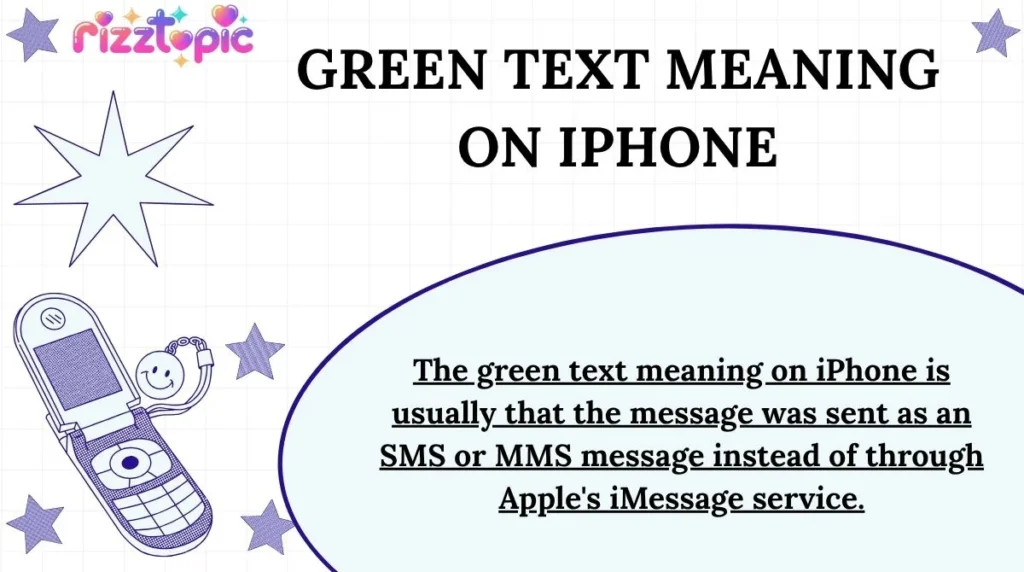
The green text meaning on iPhone is usually that the message was sent as an SMS or MMS message instead of through Apple’s iMessage service.
When an iPhone sends a message using iMessage, the text bubble appears blue. When it sends through a traditional cellular network using SMS or MMS, the bubble appears green.
Primary Meaning
A green message bubble means:
- The message was sent via SMS or MMS.
- iMessage was not used.
- The recipient may not be using an iPhone.
- Internet-based messaging was unavailable.
Secondary Meanings
In some cases, green text can also indicate:
- iMessage is turned off.
- Internet connectivity problems exist.
- Apple’s iMessage servers are temporarily unavailable.
- The recipient has disabled iMessage.
Quick Examples
- Blue bubble = iMessage.
- Green bubble = SMS/MMS.
- Green text to Android = normal.
- Green text to iPhone = possible iMessage issue.
Background & Origin
Apple introduced iMessage in 2011 as part of iOS 5. Before that, all text messages were sent through standard SMS services provided by mobile carriers.
To help users identify the type of message being sent, Apple created a color-coding system. Blue bubbles represented iMessages, while green bubbles represented traditional SMS or MMS messages.
This simple visual difference quickly became one of the most recognizable features of the iPhone messaging app.
Over time, people started paying more attention to message colors because iMessage offers features that SMS does not, including:
- Read receipts
- Typing indicators
- High-quality photos
- End-to-end encryption
- Group messaging enhancements
As a result, users became curious whenever a conversation suddenly switched from blue to green.
Usage in Different Contexts
The green text meaning on iPhone can vary slightly depending on the situation.
Personal Chats
In everyday conversations, green text usually means you’re texting someone who uses Android or another non-Apple device.
Example:
- You text a Samsung user.
- Your message bubble appears green.
Family Conversations
A family member may accidentally disable iMessage, causing messages to turn green temporarily.
Business Communication
Many companies use SMS for appointment reminders, authentication codes, and customer notifications.
Examples:
- Banking alerts
- Delivery updates
- Verification codes
These messages almost always appear green.
Group Chats
A group chat containing even one Android user may behave differently and often relies on SMS/MMS technology.
Meanings Across Platforms
Although green text has a specific meaning on iPhone, users often wonder how messaging works across popular social platforms.
On WhatsApp, message colors do not indicate SMS or iMessage status. Messages are sent through the internet.
Instagram DMs use their own messaging system and do not use green bubbles for SMS identification.
TikTok
TikTok messaging works within the app and does not have the same green-versus-blue distinction.
Snapchat
Snapchat uses icons and colors differently. Message indicators there do not relate to SMS technology.
Key Point
The green text meaning on iPhone is unique to Apple’s Messages app and does not carry the same meaning on most social media platforms.
Other Fields and Technical Meanings
The phrase “green text” can have different meanings outside iPhone messaging.
Medical Field
Green text may simply refer to text highlighted in green within healthcare software systems.
Physics and Science
Green text could indicate labels, measurements, or categorized data on scientific displays.
Aviation
Aircraft monitoring systems sometimes use green text to show normal operating conditions.
Technology
Many coding environments use green text to display comments, successful processes, or status information.
Gaming
Some games display system messages, player names, or notifications in green text.
The context usually determines the intended meaning.
Common Misconceptions & Mistakes
Many myths surround green text bubbles on iPhone.
Myth 1: Green Text Means You’re Blocked
Not necessarily.
A green bubble alone does not mean someone blocked you.
Myth 2: Green Text Means Your Phone Is Broken
False.
Most of the time, green text is completely normal.
Myth 3: Green Text Means Poor Signal
Sometimes, but not always.
Myth 4: Green Text Is Only for Android Users
Usually true, but iPhone users can also generate green messages when iMessage is unavailable.
Common Mistakes
- Assuming someone blocked you.
- Thinking your iPhone is malfunctioning.
- Confusing SMS with iMessage.
Similar Terms & Alternatives
| Term | Meaning |
|---|---|
| Green Text | SMS/MMS message |
| Blue Text | iMessage |
| SMS | Standard text message |
| MMS | Multimedia message |
| iMessage | Apple’s internet messaging service |
| Chat Bubble | Message indicator in Messages app |
| Text Message | Generic messaging term |
How to Respond to It
If your messages suddenly turn green, you may want to check what’s happening.
Practical Responses
- Verify your internet connection.
- Check whether iMessage is enabled.
- Confirm the recipient’s device type.
- Wait if Apple’s services are experiencing issues.
Chat Examples
- “Hey, my messages turned green. Are you using Android now? 😊”
- “Looks like iMessage isn’t working. Can you still see my texts?”
- “I think my phone switched to SMS. Did anything change on your end?”
- “No worries, I’ll text you normally if iMessage is down 👍”
Differences From Similar Words
Many people confuse green text with other messaging terms.
Green Text vs Blue Text
Green Text:
- Uses SMS/MMS.
- Carrier-based.
- Limited features.
Blue Text:
- Uses iMessage.
- Internet-based.
- More advanced features.
Green Text vs RCS
RCS is a newer messaging standard used mainly on Android devices. While it offers advanced features similar to iMessage, it is different from traditional green SMS messages.
Relevance in Online Conversations & Dating Apps
The green text meaning on iPhone has become a popular discussion topic online.
In dating culture, some people jokingly refer to green bubbles as a “green flag” or “red flag” depending on their messaging preferences.
Common online discussions include:
- iPhone versus Android debates.
- Messaging compatibility.
- Group chat experiences.
- Relationship and dating jokes.
While some users care about message colors, the actual functionality is usually more important than the appearance.
Popularity & Trends Over Time
Search interest for green text meaning on iPhone has remained strong because millions of people use iPhones worldwide.
Google Trends data over the years shows recurring spikes whenever:
- New iPhones launch.
- iOS updates occur.
- Messaging features change.
- Social media discussions go viral.
Social platforms like TikTok, Instagram, Reddit, and X frequently feature conversations about green versus blue messages.
The topic remains popular because it affects everyday communication and often sparks curiosity among users.
FAQs
What does green text mean on iPhone?
It usually means your message was sent through SMS or MMS instead of iMessage.
Why are my texts green to another iPhone?
The recipient may have disabled iMessage, lost internet access, or be experiencing an Apple service issue.
Does green text mean I’m blocked?
No. A green message alone does not confirm that someone blocked you.
Can I change green messages to blue?
Yes, if both users have iMessage enabled and internet connectivity is available.
Why are some messages blue and others green?
Blue messages use iMessage, while green messages use SMS or MMS.
Are green messages less secure?
Traditional SMS messages generally do not offer the same end-to-end encryption available through iMessage.
Do Android phones always show green text on iPhone?
Yes, messages sent to Android devices typically appear green in Apple’s Messages app.
Conclusion
The green text meaning on iPhone is much simpler than many people think. In most situations, it simply indicates that your message was sent through SMS or MMS rather than Apple’s iMessage service.
Green message bubbles are a normal part of the iPhone messaging experience and do not automatically signal a problem.
They often appear when texting Android users, when internet access is unavailable, or when iMessage is turned off.
Understanding the difference between green and blue messages helps you identify how your text was delivered and what features are available during the conversation.
Once you know the reason behind the color change, there’s usually no need for concern.
The next time you see a green bubble on your iPhone, you’ll know exactly what it means and why it happened.