Many iPhone users notice that some text messages appear in blue while others show up in green.
This difference often creates confusion, especially when people are texting friends, family members, or new contacts for the first time.
The phrase green text meaning on iPhone is searched frequently because users want to know whether a green message indicates a problem, a blocked number, or something else entirely.
In most cases, the answer is simple, but there are several details worth understanding.
Knowing why messages appear green can help you troubleshoot messaging issues, understand how Apple’s messaging system works, and avoid common misunderstandings.
Whether you’re using Messages daily or are just curious about the color difference, this guide explains everything in a clear and easy way.
The green text color on iPhone is mainly related to the type of messaging service being used. However, it can also reveal useful information about connectivity, device compatibility, and message delivery methods.
Meaning & Definition of Green Text on iPhone
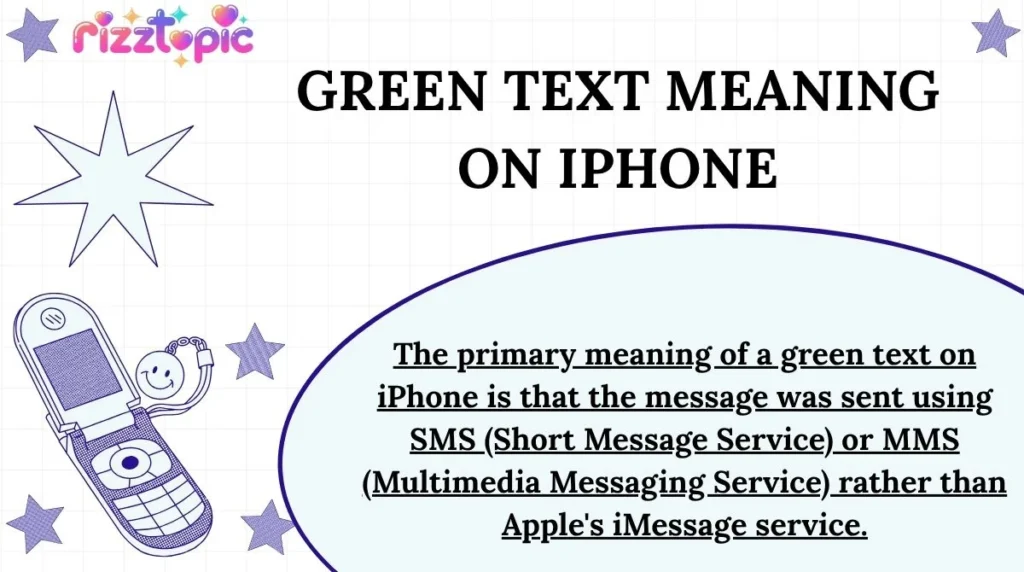
The primary meaning of a green text on iPhone is that the message was sent using SMS (Short Message Service) or MMS (Multimedia Messaging Service) rather than Apple’s iMessage service.
When an iPhone sends a message through iMessage, the message bubble appears blue. When the message is sent through a mobile carrier’s SMS or MMS network, the bubble appears green.
Primary Meaning
- Green text = SMS or MMS message
- Blue text = iMessage
- Sent through a cellular carrier instead of Apple’s servers
Secondary Meanings
A green text message can also indicate:
- The recipient is using an Android phone.
- iMessage is turned off on either device.
- The sender or receiver has no internet connection.
- Apple’s iMessage service is temporarily unavailable.
- The phone number is not registered with iMessage.
Quick Examples
- iPhone to Android = Green text
- iPhone to iPhone with iMessage enabled = Blue text
- iPhone to iPhone without internet = Green text
Understanding this distinction helps users determine how their messages are being delivered.
Background & Origin
Green text messages have existed on iPhones since Apple introduced iMessage in 2011.
Before iMessage, all text communication on mobile phones relied on SMS and MMS networks operated by cellular carriers. Messages did not have different colors because there was only one messaging method available.
Apple created iMessage as an internet-based messaging service. To help users identify which service was being used, Apple introduced color-coded message bubbles.
The system worked as follows:
- Blue bubbles = iMessage
- Green bubbles = SMS/MMS
This visual distinction quickly became one of the most recognizable features of the iPhone messaging experience.
Over time, people began associating blue messages with Apple users and green messages with non-iPhone users. This led to many online discussions and social media trends surrounding the famous “green bubble vs. blue bubble” debate.
Today, green texts remain an important part of how users identify message delivery methods on iPhones.
Usage in Different Contexts
The meaning of green text on iPhone can vary slightly depending on the situation.
Personal Chats
In everyday conversations, green text usually means the message was sent as a standard text message.
Example:
- “Why did my text turn green?”
- “Because it was sent as SMS.”
Group Chats
In mixed-device group chats that include Android users, messages often appear green because the conversation may use SMS/MMS instead of iMessage.
Business Communication
Companies often use SMS systems for notifications, appointment reminders, and verification codes.
Examples:
- Bank alerts
- Delivery updates
- Appointment confirmations
These messages generally appear green.
Customer Support
Many support teams communicate through SMS platforms.
Examples include:
- Order tracking
- Service updates
- Security notifications
In these situations, green messages simply indicate carrier-based texting rather than iMessage.
Meanings Across Platforms
Although green text is most commonly discussed in relation to iPhones, messaging colors and indicators differ across social platforms.
| Platform | Meaning of Green Text |
|---|---|
| Usually indicates online status or active indicators, not SMS | |
| No direct SMS meaning; colors vary by theme | |
| TikTok | Green text has no official messaging meaning |
| Snapchat | Colors indicate message types and interactions |
| iPhone Messages | SMS/MMS sent through carrier network |
WhatsApp does not use green message bubbles to distinguish SMS from internet messages. Instead, all messages travel through WhatsApp’s servers.
Instagram message colors depend on themes and chat customization rather than message delivery methods.
TikTok
TikTok messaging lacks a universal green-text meaning.
Snapchat
Snapchat uses colored icons and symbols to indicate message status rather than SMS delivery.
The iPhone remains the platform where green text carries the most recognized meaning.
Other Fields and Technical Meanings
Outside of iPhone messaging, green text can have different meanings depending on the field.
Technology
Green text may indicate:
- Active status
- Successful operations
- Online systems
Medical Equipment
Green indicators often represent:
- Stable conditions
- Normal readings
- Active monitoring
Aviation
Aircraft systems may use green displays to show:
- Normal operation
- Approved settings
- Functional systems
Physics and Electronics
Green LEDs commonly signal:
- Power on
- Correct functionality
- Active connection
Although these meanings differ, they all generally imply a normal or active state.
Common Misconceptions & Mistakes
Many myths surround green text messages.
Myth 1: Green Text Means You’re Blocked
This is not necessarily true.
A green message usually means SMS was used instead of iMessage.
Myth 2: Green Text Means Something Is Wrong
Not always.
Many perfectly normal conversations use SMS.
Myth 3: Green Text Means Android Users Are Ignoring You
Message color has nothing to do with whether someone reads your message.
Myth 4: Green Messages Are Less Secure
SMS messages generally offer less encryption than iMessage, but green messages are not automatically unsafe.
Common Mistakes
- Assuming someone blocked you.
- Believing green text indicates a broken phone.
- Thinking green messages cannot be delivered.
Most green texts simply reflect the messaging method being used.
Similar Terms & Alternatives
| Term | Meaning |
|---|---|
| Green Text | SMS/MMS message |
| Blue Text | iMessage |
| SMS Message | Carrier-based text |
| MMS Message | Multimedia carrier text |
| iMessage | Apple’s internet messaging service |
| RCS Messaging | Enhanced messaging protocol |
These terms are often discussed together when troubleshooting messaging issues.
How to Respond to It
If someone asks why their text is green, you can respond in a simple and helpful way.
Chat Examples
- “Your message was sent as SMS instead of iMessage 😊”
- “Looks like one of the phones isn’t connected to iMessage.”
- “The recipient may be using Android.”
- “Check your internet connection and iMessage settings.”
Friendly Replies
- “Nothing is wrong. It’s just using regular texting.”
- “Green means SMS, blue means iMessage.”
- “It probably switched because of network issues.”
These responses quickly clear up confusion.
Differences From Similar Words
Green Text vs Blue Text
| Feature | Green Text | Blue Text |
|---|---|---|
| Service | SMS/MMS | iMessage |
| Internet Required | No | Yes |
| Uses Carrier Network | Yes | No |
| End-to-End Encryption | Usually No | Yes |
| Works With Android | Yes | No |
This is the most important distinction for iPhone users.
Relevance in Online Conversations & Dating Apps
Green text has become a cultural topic online.
Many social media users jokingly discuss green bubbles versus blue bubbles. Some people even associate message color with dating preferences or device choices.
On dating apps, conversations may eventually move to texting. At that point, users sometimes notice the green message color and become curious about what it means.
Common online discussions include:
- Green bubble memes
- Android vs iPhone debates
- Messaging preferences
- Communication habits
Despite the jokes, green text simply indicates SMS communication and does not reflect a person’s personality or interest level.
Popularity & Trends Over Time
Interest in the phrase green text meaning on iPhone has grown alongside smartphone adoption.
Google Trends data has shown recurring searches whenever:
- New iPhone models launch
- Messaging updates are released
- iMessage outages occur
- Android and iPhone compatibility discussions trend online
Social media platforms frequently revive conversations about green bubbles, making the topic consistently popular.
The rise of cross-platform messaging and discussions about RCS messaging standards has also increased public interest in understanding green texts.
Today, it remains one of the most searched iPhone messaging questions.
FAQs
What does green text mean on iPhone?
It means the message was sent using SMS or MMS instead of iMessage.
Why are my texts green to another iPhone user?
iMessage may be disabled, unavailable, or lacking an internet connection.
Does green text mean I’m blocked?
No. Green text alone does not prove that someone blocked you.
Can green texts be delivered successfully?
Yes. SMS messages are delivered normally through your carrier network.
Why are some messages blue and others green?
Blue messages use iMessage, while green messages use SMS or MMS.
Can I change green messages to blue?
If both users have iMessage enabled and internet access, messages may switch back to blue automatically.
Are green texts secure?
SMS messages generally provide less security than iMessage, which uses encryption.
Why do Android messages appear green on iPhone?
Because communication between iPhone and Android traditionally uses SMS or MMS rather than iMessage.
Conclusion
Understanding the green text meaning on iPhone is easier once you know how Apple’s messaging system works. In most cases, a green message simply means the text was sent through SMS or MMS rather than iMessage.
Many users worry that green texts indicate a problem, but that is rarely the case. The color often appears because the recipient uses Android, internet connectivity is unavailable, or iMessage is turned off temporarily.
The green bubble has become a major topic in online conversations, yet its purpose remains simple: it shows a different message delivery method.
Knowing this distinction can help you troubleshoot messaging issues and avoid unnecessary confusion.
The next time a message turns green, you’ll know exactly what it means and why it happened. For most users, it’s simply another way for messages to stay connected across different devices and networks.